Lightweight motion becomes an agent workflow when Text-to-Lottie adds feedback
A product-operations view of Text-to-Lottie: the point is not only generation, but the preview-and-correct loop that makes small motion usable.

Lottie is useful because it turns motion into something engineers can version, ship, and reuse. That is also why it has always been slightly awkward in practice: the format is elegant, but the production workflow around it is still heavy. A designer usually builds the motion in After Effects, exports with Bodymovin, and hands the JSON to engineering. If the only goal is a small loading loop, an icon reveal, or an empty-state animation, that workflow is often too expensive.
Text-to-Lottie tries to remove that friction. Instead of asking an AI model to spit out JSON and hoping the result works, it packages the whole loop as a skill for coding agents like Claude Code or Codex: generate the scene, preview it locally, inspect frames, and revise it until it is actually usable.
Why direct JSON generation usually falls short
If you only ask a model to write Lottie JSON, you receive a file, not a workflow. You still need a player, a preview page, a way to inspect the animation, and a way to correct mistakes. More importantly, the model itself has no visual feedback loop. It cannot see whether the motion feels off, whether the reveal timing is awkward, or whether the path direction is wrong.
That is the main reason these tasks feel brittle in production teams. The AI can write quickly, but humans still have to verify, patch, and rerun. Text-to-Lottie is interesting because it changes the unit of work from “write JSON” to “produce a playable animation with feedback.”

The included player is the real product
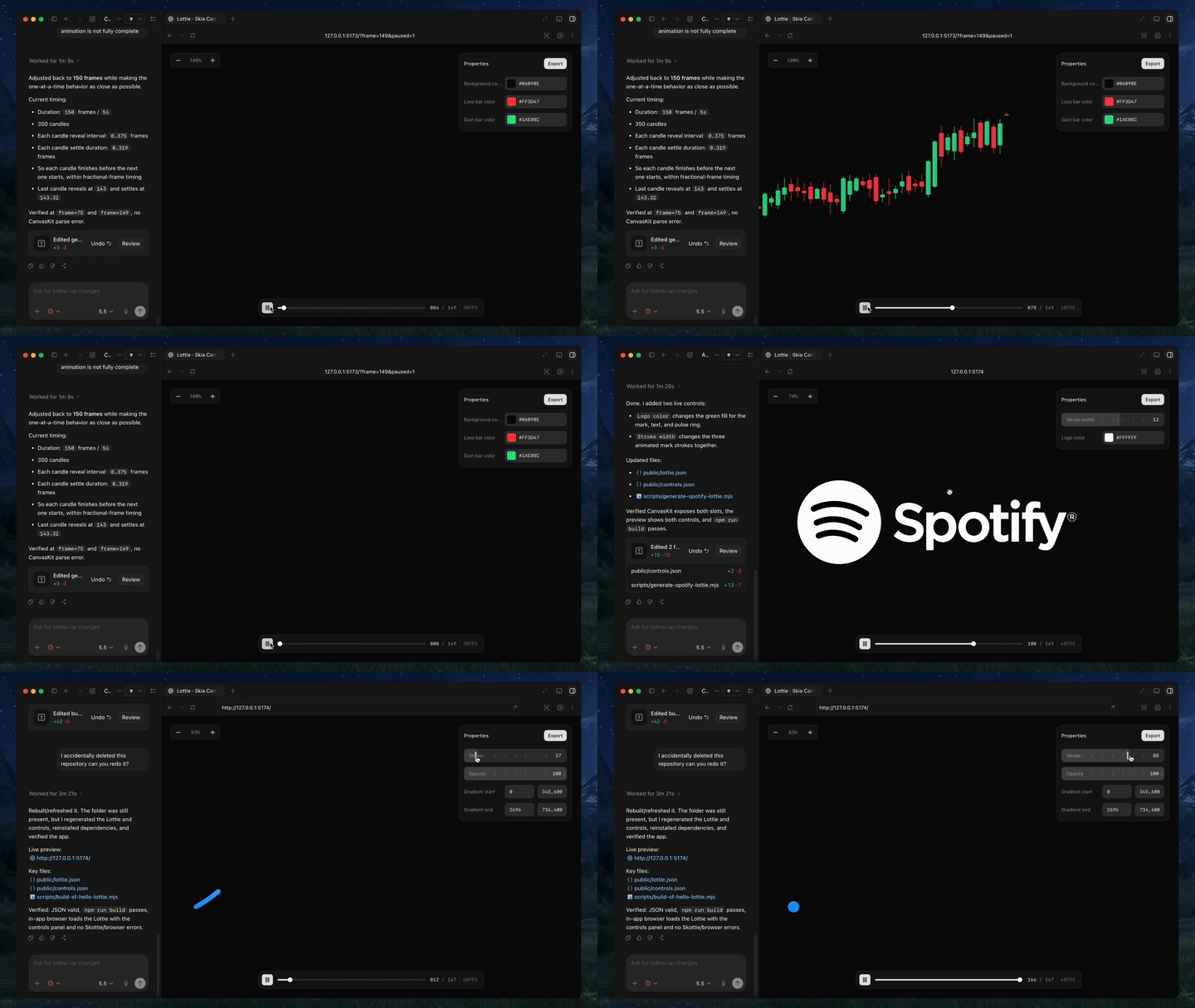
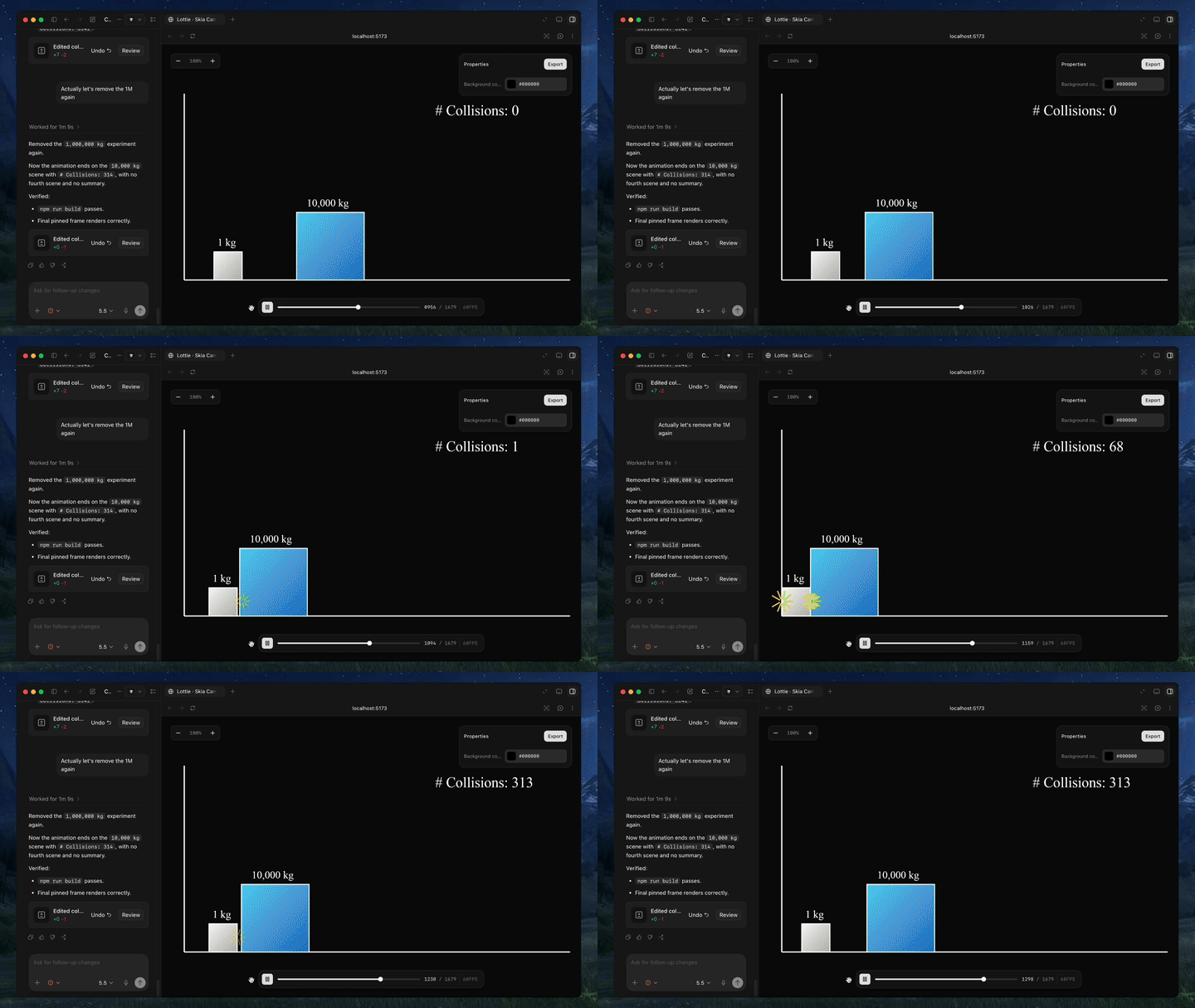
The README is very clear about the setup: install the skill with npx skills add diffusionstudio/lottie, then ask the agent to generate an animation using Text-to-Lottie. But the more important part is what happens after generation. The included player loads scenes from public/projects/<project>/<scene>/lottie.json and live-updates them as the agent edits the files.
That gives the agent two things it normally lacks: a place to preview output, and a place to validate output. The player also exposes a /__context endpoint so the agent can inspect scene, frame, and timeline state in a machine-readable way. This is what makes the loop practical.
Frame-level checking matters more than most people think
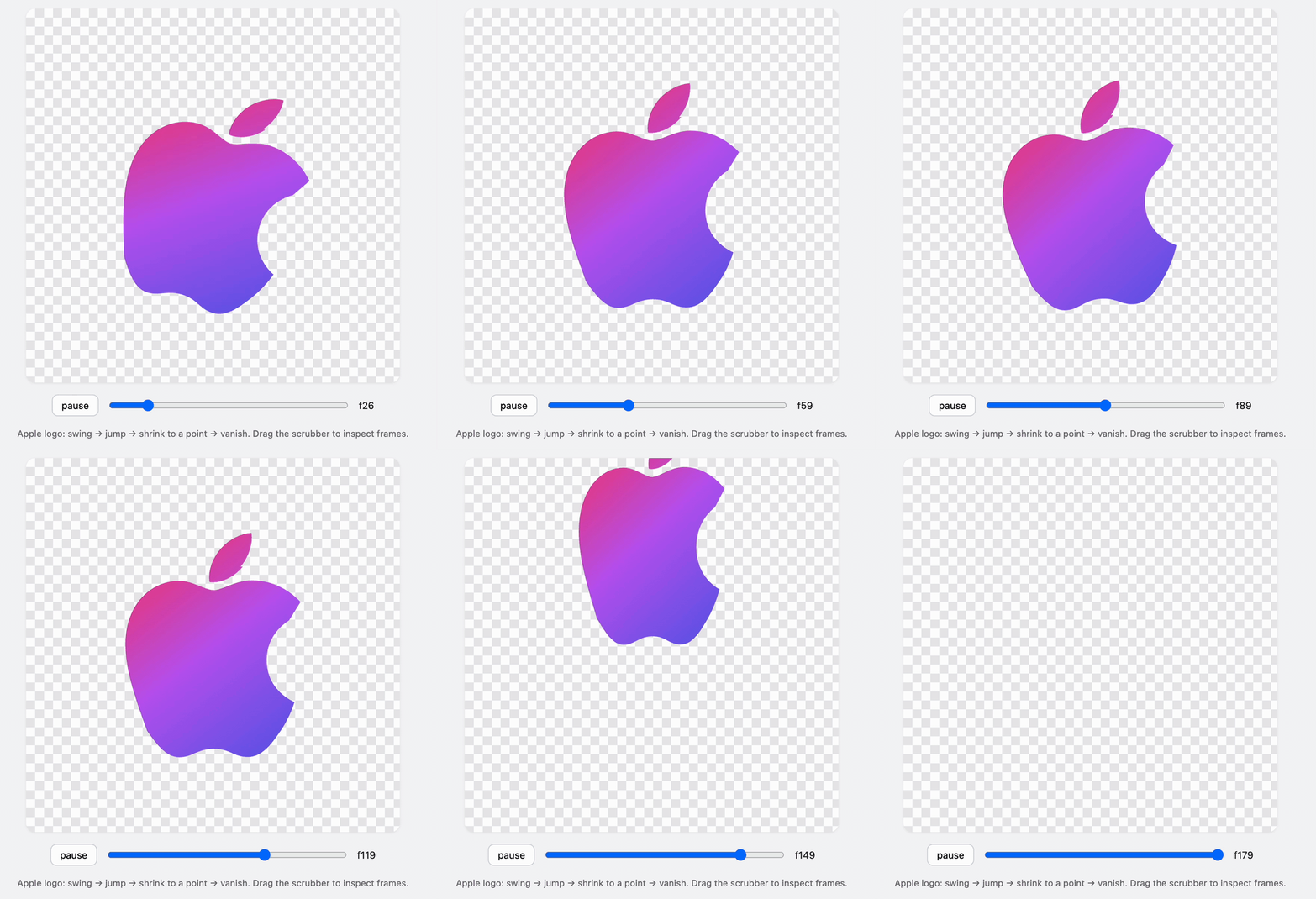
One of the clever details is the ability to lock the player to a specific frame via a URL parameter. That sounds minor, but it is exactly the kind of thing that makes motion design review repeatable. Instead of arguing about whether the intro “looks fine,” you can freeze the animation on a known frame and inspect composition, spacing, path shape, and timing.
Combined with live reload, the workflow becomes very short: edit, preview, inspect, revise. That is the kind of loop agents can actually handle well.
The prompt advice is practical, not decorative
The repository’s prompt guide is refreshingly concrete. Provide real assets instead of vague wishes. Use motion design language like ease-in and ease-out. Describe camera movement if you want the animation to feel cinematic. Ask for the controls you need. Specify frame rate and duration.
That advice matters because AI models are much better at following constraints than inventing them. If you give the model a clear asset and a clear motion vocabulary, the output becomes much more reliable. If you only say “make it premium,” the model has to guess what premium means in your context.
What it is good at — and what it is not
Text-to-Lottie is a good fit for icon reveals, loading states, branded micro-animations, and simple narrative motion built from SVG or short visual assets. It is not a replacement for heavy particle systems or complex physical simulation. The project can provide a strong first pass, but advanced motion still needs a human to finish the details.
That is not a weakness. It is a realistic boundary. Lottie has always been about lightweight, cross-platform motion, not about replacing every possible animation workflow.
Why this direction matters
For years, animation tools optimized the editor. Text-to-Lottie optimizes the workflow around the editor: scripting, inspection, revision, and repeatability. That is a much more AI-native approach. It treats motion as something that can be generated, checked, and refined like code.
If you build product pages, dashboards, tool sites, or other interfaces that rely on small motion details, this is the part of AI tooling that is genuinely useful. It does not just produce an output. It gives you a production path you can use again.
My takeaway: Text-to-Lottie is not about replacing motion designers. It is about making lightweight motion repeatable for engineers and agents, so small but important animation work stops being a one-off manual chore.