SmartDNS Is Useful When DNS Is the Problem—Not When Everything Is
A practical checklist for deciding whether SmartDNS belongs in a router or home-lab network, with attention to measurement, topology, and failure modes.
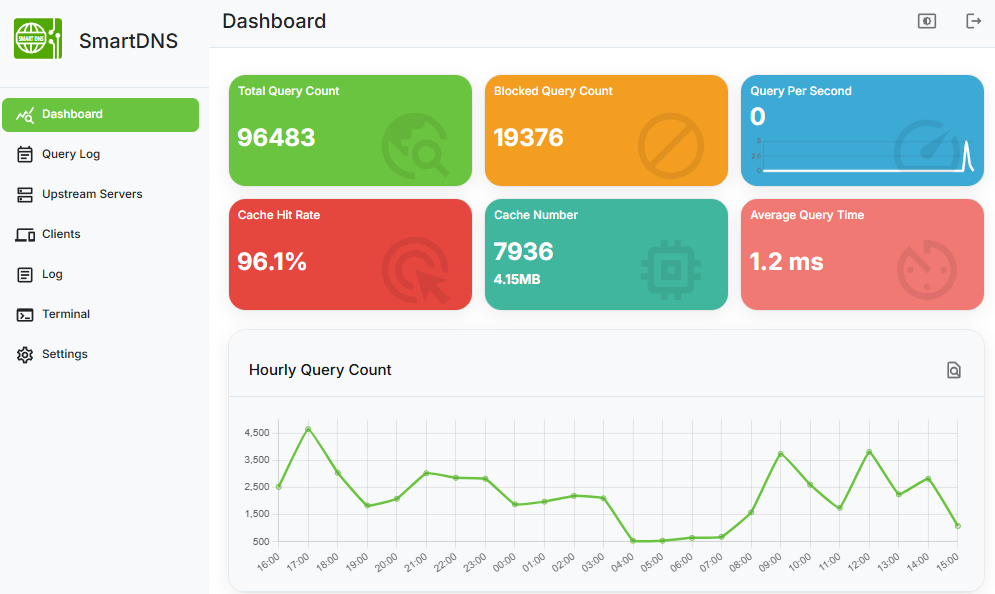
The fastest DNS server is not always the server that gives you the best destination. That distinction is the reason SmartDNS is interesting, and also the reason it is often oversold. It can improve a home network when the problem is poor DNS choice or bad CDN assignment. It cannot turn a congested route or weak Wi-Fi signal into a premium connection.
For operators, the useful question is not “will SmartDNS make the internet faster?” It is “is DNS currently making bad decisions for this network, and can we observe the improvement after changing that decision layer?”
What SmartDNS changes
A conventional router setup may query two resolvers and accept the first response. That optimizes for resolver response time. SmartDNS tries to optimize for the returned destination. It queries multiple upstream resolvers, gathers candidate IP addresses, performs local speed checks, and returns the address that appears best from the current network.
This is especially relevant for CDN-heavy services. Two resolvers can both answer correctly while sending the client toward very different edge nodes. The node selected by an overseas privacy-focused resolver may be worse for a domestic site; the node selected by a local resolver may be better for domestic traffic but less appropriate for domains where encrypted upstreams reduce interference.
A checklist before deploying it
- Identify the symptom. SmartDNS is most relevant when lookups are slow, returned CDN addresses look wrong, or different resolvers send the same domain to very different regions.
- Keep the first setup small. Use a few trusted upstreams, enable cache, and avoid importing huge blocklists before the baseline is known.
- Separate filtering from selection. If AdGuard Home is already the policy and logging layer, let it face clients and forward to SmartDNS for upstream selection.
- Watch for loops. A resolver chain that points back to itself will create intermittent failures that look like random network instability.
- Compare returned addresses and application behavior. DNS latency alone is not enough; the selected IP must improve the real connection.
Features that matter in operations
- Encrypted upstream support through DoT, DoH, DoQ, and DoH3, useful when resolver privacy or interference matters.
- Domain forwarding and split resolution, so not every domain needs to use the same upstream strategy.
- High-performance suffix matching for blocking, pinning, or routing specific domains.
- IPv4/IPv6 handling, including AAAA filtering and DNS64 support for specialized networks.
- ipset and nftset integration for deployments where DNS decisions feed firewall or routing policy.
The failure mode: too much DNS engineering
The easiest way to make a SmartDNS deployment worse is to add every public resolver, every encrypted endpoint, and every domain list on day one. More upstreams can mean more inconsistent answers. More rules can mean harder debugging. More privacy layers can move domestic traffic to worse CDN nodes. DNS policy should be boring until evidence says otherwise.
Start with two local resolvers and one encrypted resolver. Test a small set of domains that represent real traffic: app stores, package registries, video services, game services, documentation sites, and internal domains. Then add forwarding rules for the domains that clearly benefit.
A sober verdict
SmartDNS is a good tool when you treat DNS as a local decision system. It is a poor tool when you expect it to compensate for every network problem. In a router, home lab, or small-office environment, it earns its place by making DNS choice observable and reversible: you can inspect the answers, compare them, and roll back if a rule makes traffic worse.