Figma is moving AI design from outputs to operating methods
The important change is not prettier generated screens, but reusable tools built from team context and design judgment.

For product and design-operations teams, Figma's Design Agent direction should be read less as a new creative toy and more as a change in operating model. The headline feature may be that AI can help create or modify work on the canvas, but the more durable idea is that teams can package their own ways of working into reusable Skills. That moves AI design away from isolated prompt craft and toward process infrastructure: a layer that can understand standards, apply rules, run checks, and reduce the amount of coordination needed to keep a product surface coherent.
The operations problem AI has to solve
Most design organizations do not struggle because they cannot produce another screen. They struggle because every new screen has to fit a product system that is already under pressure. Components drift. Tokens are renamed. Documentation falls behind. Accessibility rules are remembered unevenly. Product requirements live in one tool, engineering constraints in another, and design critique in a third. A prompt-to-UI generator is useful only if it can respect that reality.
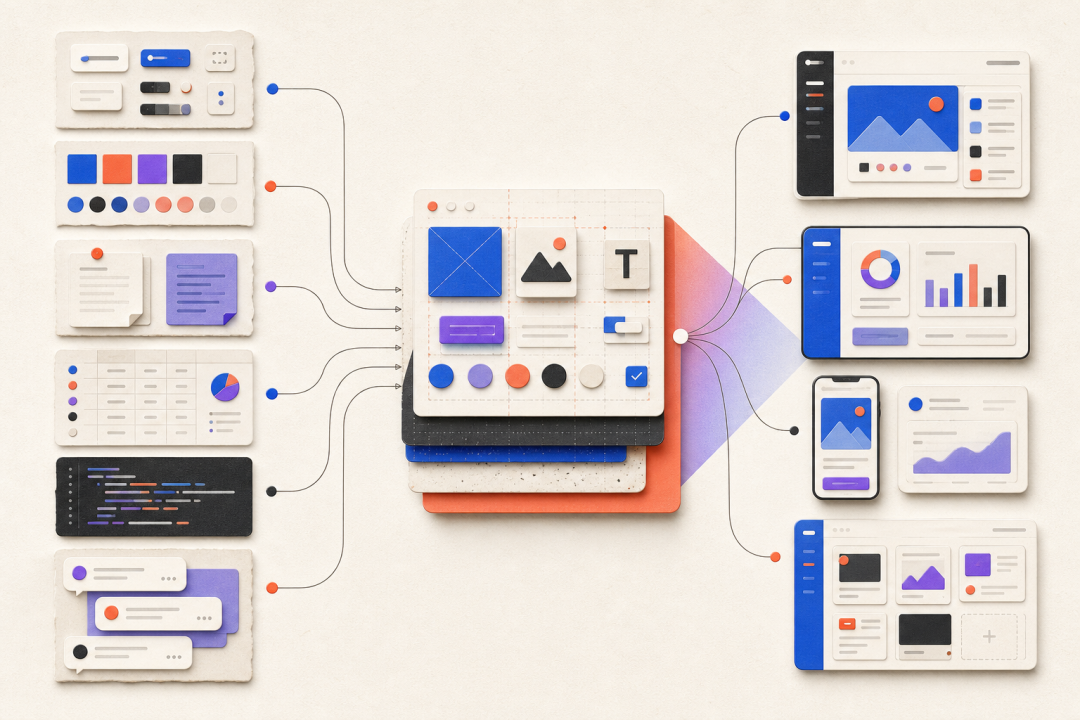
Figma's agent approach becomes more interesting when viewed through that lens. If an agent can inspect Figma files, use attached material, and connect to tools such as Notion, GitHub, Slack, or Atlassian, it can participate in the information network that already surrounds product delivery. Skills then become operational assets. They are not merely saved prompts; they are repeatable procedures that encode how a team evaluates quality, prepares handoff, checks compliance, or transforms inputs into design work.
From design system documentation to executable governance
Design systems have always promised consistency, but the daily burden of enforcing consistency often falls on reviews and manual policing. A component library can tell people what exists; it cannot always make them use the right thing. Documentation can describe a standard; it cannot automatically check every file. Skills suggest a more active model. A team could encode review criteria, naming conventions, accessibility thresholds, brand-voice rules, layout heuristics, or release-readiness checklists into actions that run inside the workflow.
This is where the product angle differs from the demo angle. A generated dashboard is less important than a dependable way to generate ten compliant variants, audit them, explain the differences, and prepare the next review. A clever animation is less important than a motion pattern that product, brand, and engineering can agree to reuse. Shader, Motion, Code Layers, and Weave all matter because they broaden the kinds of materials a Figma-native agent can manipulate; Skills matter because they make those manipulations governable.
- Design operations can shift repetitive review work into explicit, reusable Skills.
- Product teams can reduce drift by connecting agent behavior to components, tokens, documentation, and engineering sources of truth.
- Design leadership can use Skills to scale judgment without forcing every decision through the same senior reviewers.
- Agents can support audits, variant production, handoff preparation, and system migration work before they are trusted with higher-level product decisions.
- The quality of the outcome will depend on the quality of the team's context, not only the quality of the model.
How to pilot it without creating chaos
The safest pilot is not a blank-canvas generation challenge. Start with a workflow where success criteria are already known. For example, run an accessibility and spacing audit across a mature feature area. Generate localized variants for an approved layout. Prepare a design review packet from current files and project documentation. Convert a written requirement into a first-pass flow, then measure how much manual correction is required before the team would consider it reviewable.
- Inventory the contexts the agent should trust: libraries, tokens, product docs, issue trackers, research notes, and engineering references.
- Choose a small operational use case where errors are easy to detect and the time savings are measurable.
- Define the review standard before running the agent, including what must remain a human decision.
- Track failure modes: wrong component choice, hallucinated constraints, inaccessible states, weak copy, missing edge cases, or unmaintainable generated tools.
- Promote only the Skills that produce repeatable value, and version them as carefully as any other design-system asset.
Risks for product organizations
The biggest risk is process opacity. If every team member builds private Skills that behave differently, the organization may replace inconsistent files with inconsistent automation. A second risk is false confidence: a design can look system-compliant while still misunderstanding the user, the business goal, or the engineering boundary. A third risk is context decay. Agents that rely on outdated documentation will simply operationalize stale decisions.
That means adoption needs ownership. Design systems teams, product design leads, content designers, researchers, and engineering partners should decide which sources of truth the agent may use and which decisions require review. The goal is not to eliminate critique. The goal is to reserve critique for the parts of the work that actually require judgment.
Operations bottom line
Figma's Design Agent and Skills direction is significant because it points to design work as an executable operating system for product teams. The winning teams will not be the ones that collect the most prompts. They will be the ones that turn their standards, review habits, and product knowledge into maintained capabilities that make every designer faster without making the product less coherent.